Step 1
Install in one click
Add FreshWipe to Chrome from the Web Store.
Speed up your browser and fix weird page behaviour by clearing cache, history, cookies and other local data with a single click.
Cluttered cache & stale data
Fresh & fast
Clean browser, faster pages
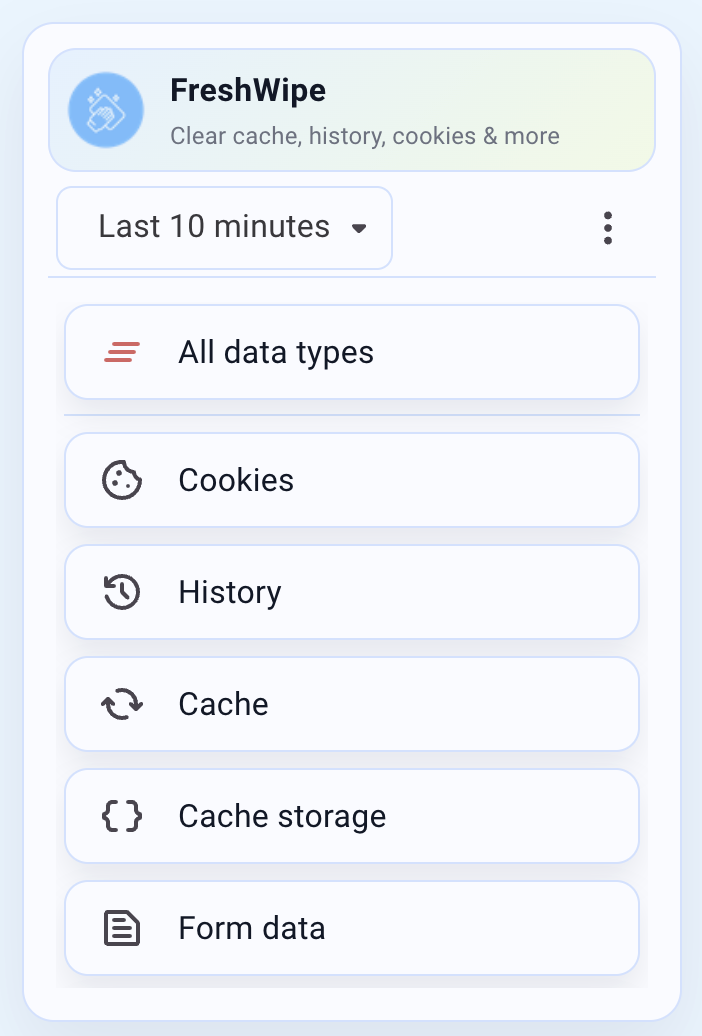
A lightweight extension that clears browser clutter with a single click.
Add FreshWipe to Chrome from the Web Store.
Pick cache, history, cookies and other data types from simple presets.
Run FreshWipe, then enjoy faster, less glitchy browsing.
FreshWipe is built to be fast, simple, and respectful of your privacy.
Clear cache, history, cookies and more from the toolbar with a single click.
Choose common combinations (e.g. "Just cache", "Cache + cookies") without digging through menus.
Pick exactly which data types to wipe when you need finer control.
Fix broken logins, layout glitches and stale content in seconds.
Lightweight UI, no accounts, no clutter.
Runs in your browser; you stay in control of what gets cleared.
People with 20+ tabs open who want pages to stay fast and responsive.
Anyone who clears cache and cookies to fix login issues, layout bugs, or stale content.
People who like regularly wiping browsing traces on shared or work machines.
FreshWipe is designed to help you clear your browser data, not collect it. Your browsing activity stays on your device where it belongs.
See at a glance what types of data FreshWipe will clear.
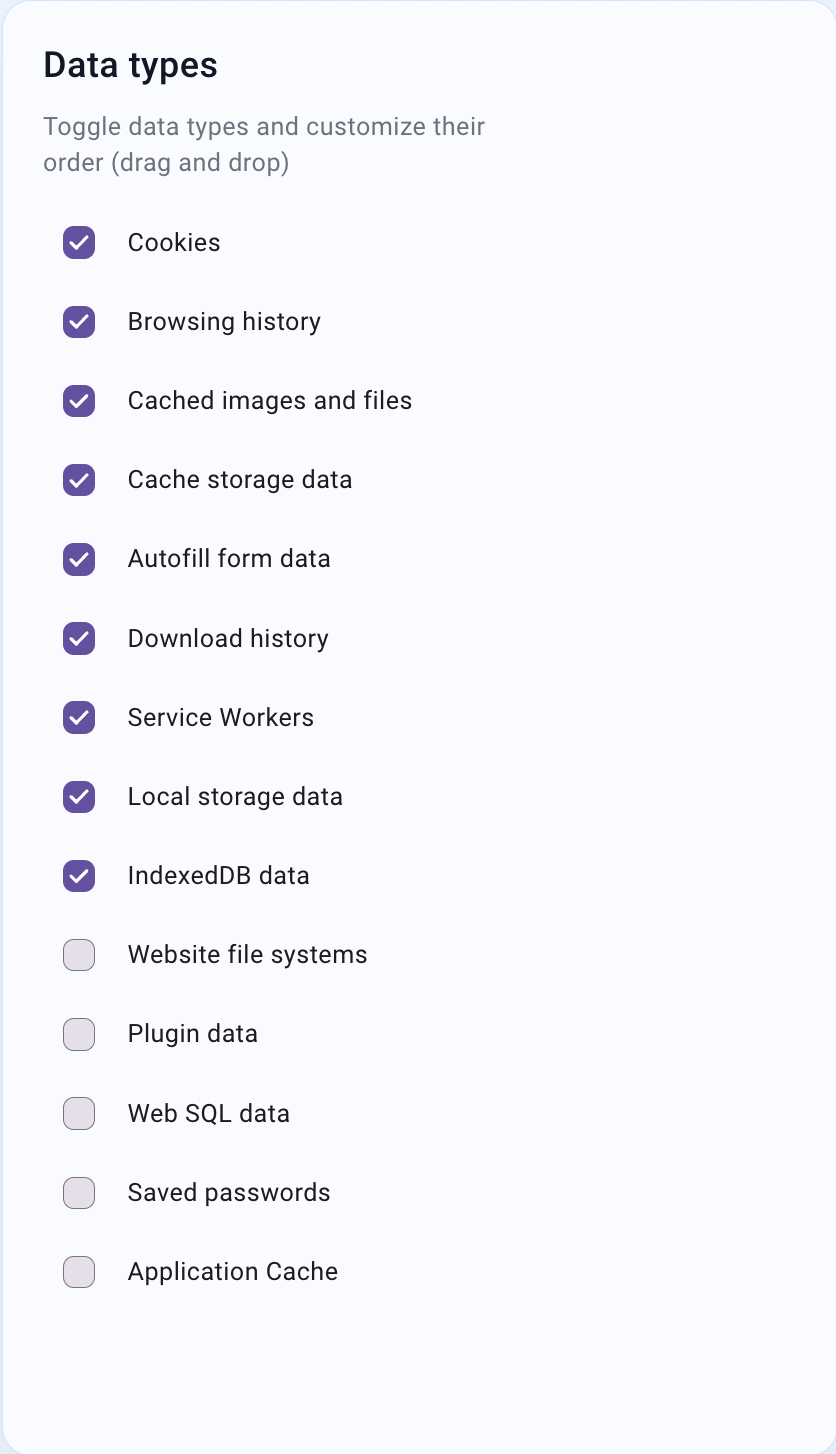
Toggle individual data types with simple checkboxes.
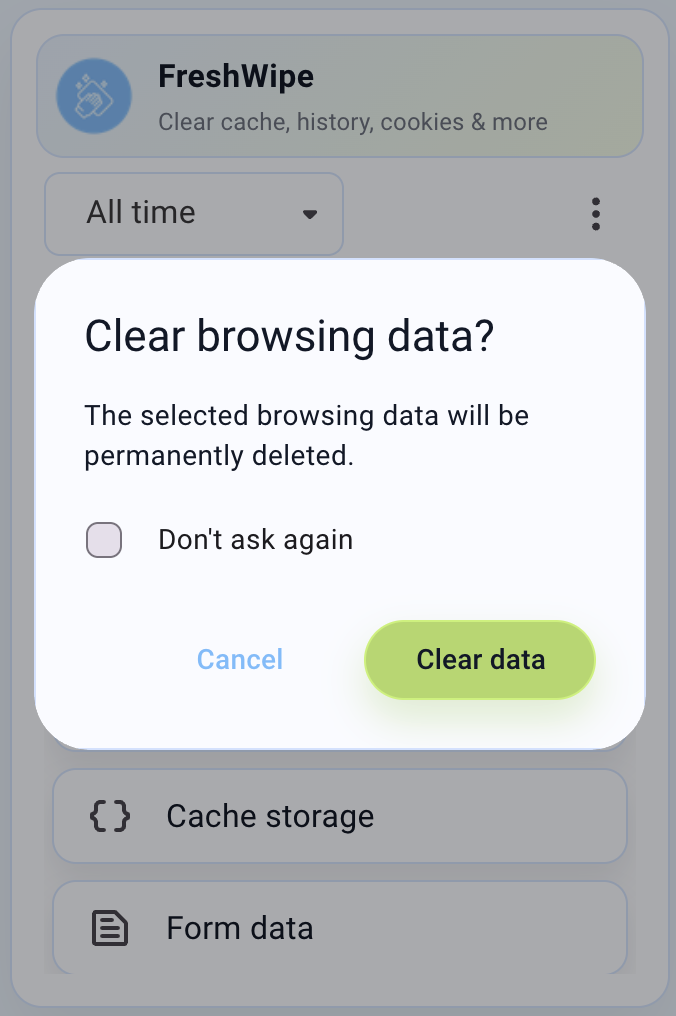
Confirm before clearing with a clear, no-nonsense dialog.
FreshWipe is a lightweight browser extension that runs entirely in your browser. It doesn't collect your data, doesn't require an account, and doesn't phone home. You choose what to clear, and everything happens locally on your device. Simple, transparent, and privacy-respecting.
Terms of Use: By using this website, you agree to these terms. FreshWipe is provided "as-is" without warranty. We reserve the right to modify these terms at any time.
Cookie Policy: This website uses minimal cookies to remember your preferences (such as cookie consent). We do not use tracking cookies or share data with third parties. The only data stored locally is your consent preference.
Privacy: We do not collect personal information through this marketing site. The FreshWipe extension operates entirely within your browser and does not transmit any browsing data.
Contact: For questions about these terms, please contact us at contact@freshwipe.app.